
QR table ordering
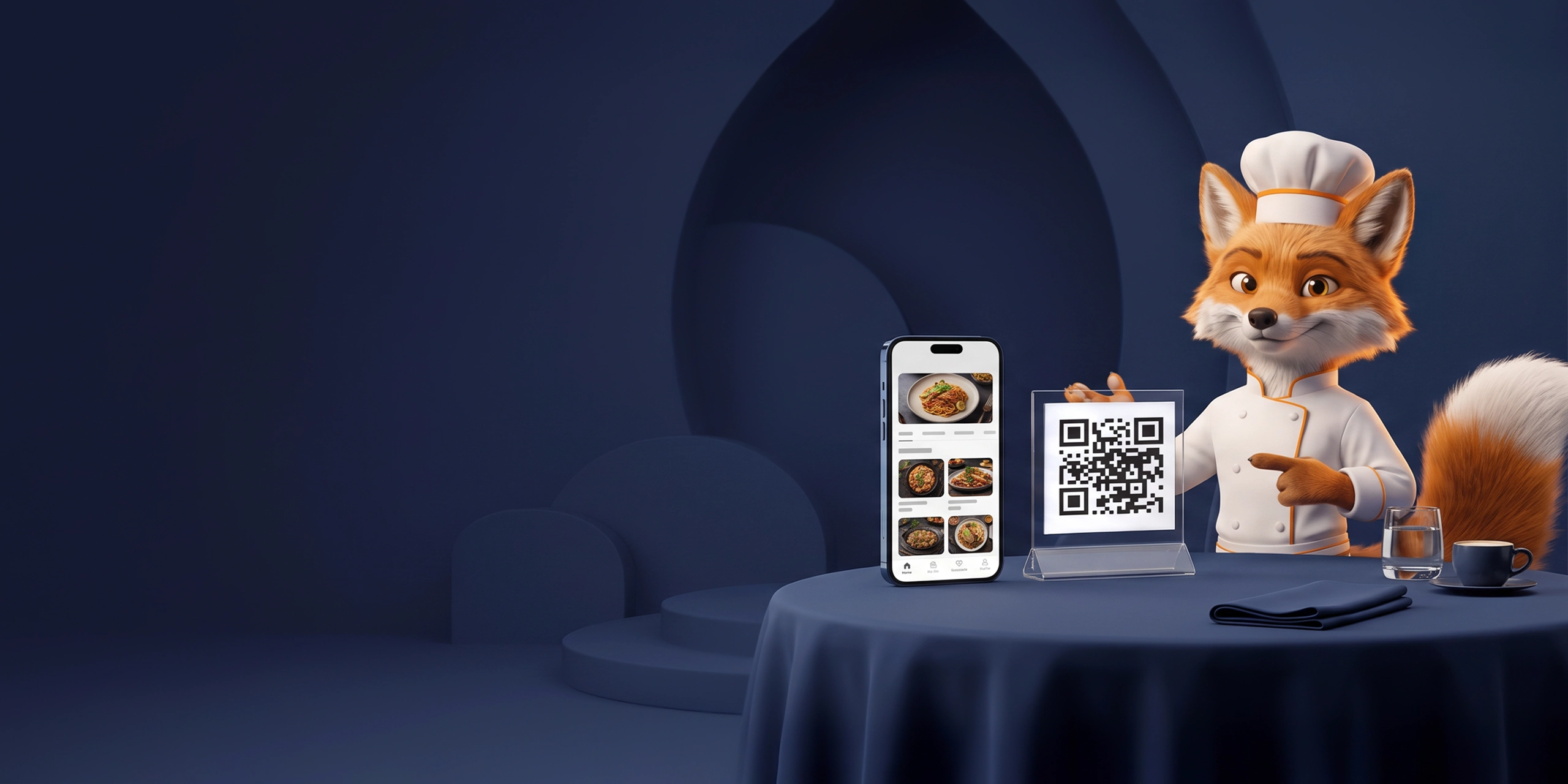
Guests browse and order in their browser from a table QR. Each order carries the right branch and table, with dish options, extras and notes.
Starter includes QR ordering, takeaway, kitchen and cashier, loyalty, reviews, WhatsApp and detailed reports. Choose Pro to add the restaurant POS and your own online storefront, connected to the same catalog, orders and customers.
Explore examplesRun your restaurant with Starter, or add counter sales and a themed online storefront with Pro. Both plans have the same restaurant features and capacity; POS & Storefront is the difference. Staff permissions still control each action.
Guests browse and order in their browser from a table QR. Each order carries the right branch and table, with dish options, extras and notes.
Included in Pro: build multi-item counter, table or takeaway orders. Customize dishes, find an existing customer or continue as a guest, then collect full or partial payment with the right permissions.
Included in Pro: publish a bilingual storefront in Classic, Harvest, Boutique or Studio. Use your own logo, food photography and story, and serve pickup or restaurant-managed delivery from the same catalog.
Manage categories, prices, photos, allergens, sizes and extras once. Choose QR, POS and Storefront visibility separately, with branch menus and sold-out controls.
All three channels feed the shared order workflow. See where an order began, how it will be fulfilled, what needs preparing and what has been paid, with live updates and receipts.
Guests can track and recover their orders without an account. Optional customer accounts bring linked order history, profile details, loyalty points, rewards and published offers together.
Build the restaurant’s catalog, choose the enabled sales channels and guide each order through the same team workflow.
Add dishes, categories, options and branch availability, then select the channels where each item should appear.
Print table QR codes, open the staff POS or publish a themed storefront for pickup and restaurant delivery, according to your plan.
Orders reach the shared Orders, Kitchen and Cashier screens. Online prepaid orders wait for verified payment before kitchen release.
Follow order activity and collections, publish offers and reward customers through the loyalty tools included in your plan.
Explore working storefronts and QR menus for fictional restaurants, each with its own identity, dishes and theme. These screenshots are captured from the actual application.
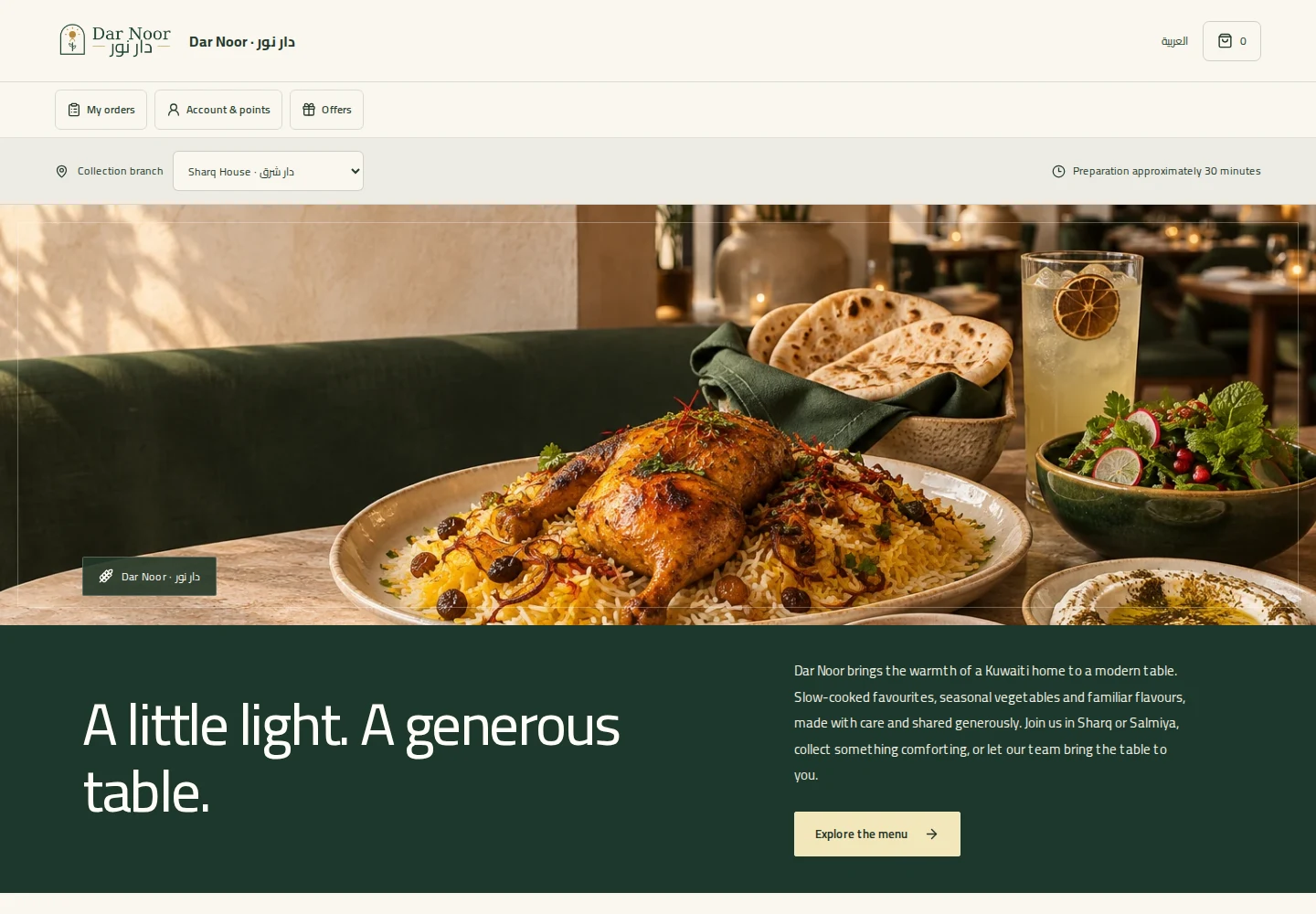
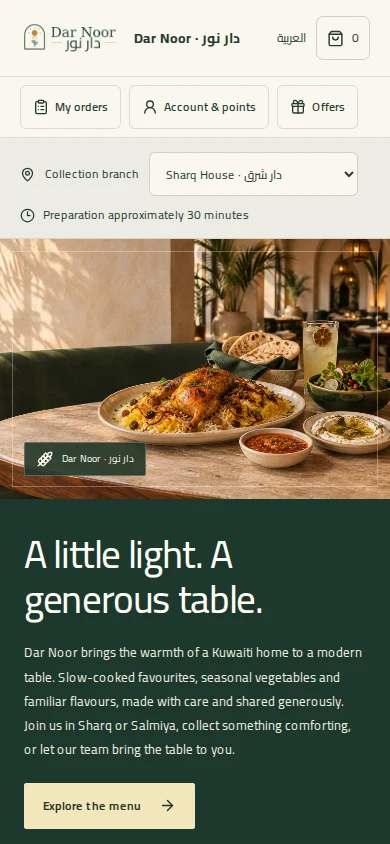
A warm Kuwaiti kitchen with regional dishes, two collection branches and restaurant delivery. Explore the Harvest storefront and the shared QR menu.
Fictional restaurant demo · Harvest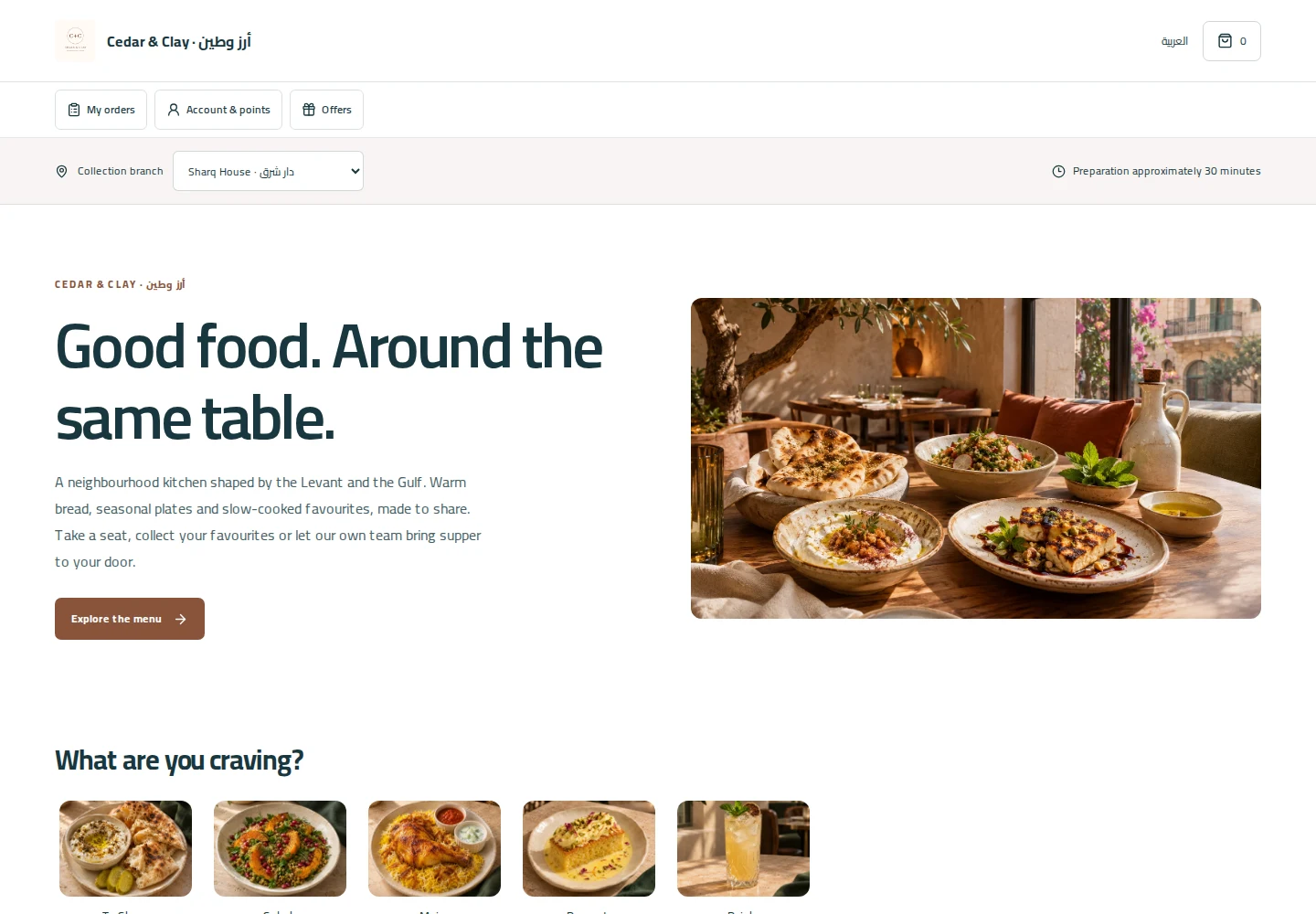
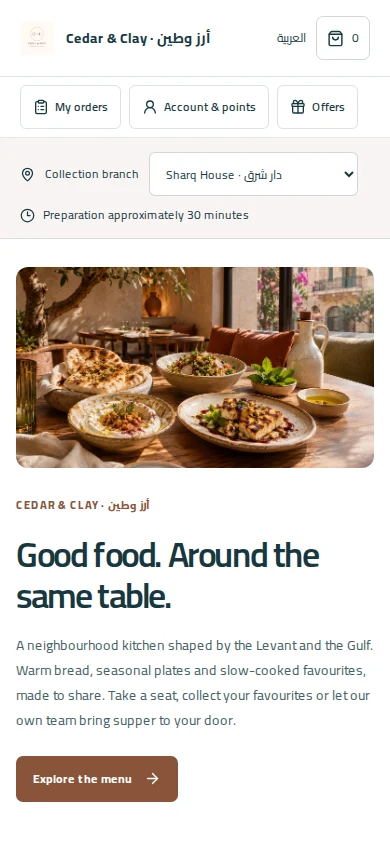
A neighbourhood kitchen serving warm bread, seasonal plates and slow-cooked favourites. Classic keeps the menu and ordering journey clear and familiar.
Fictional restaurant demo · Classic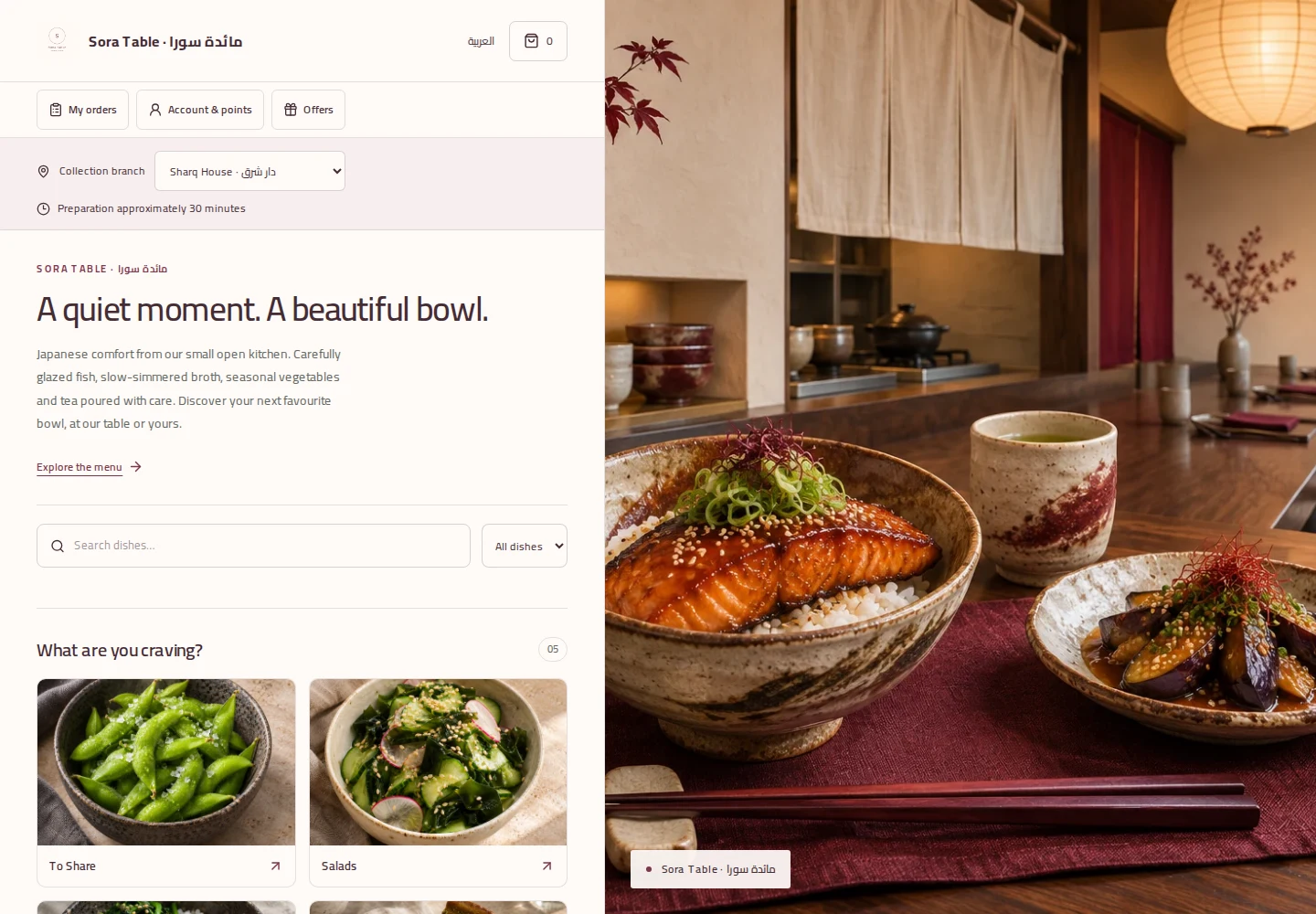
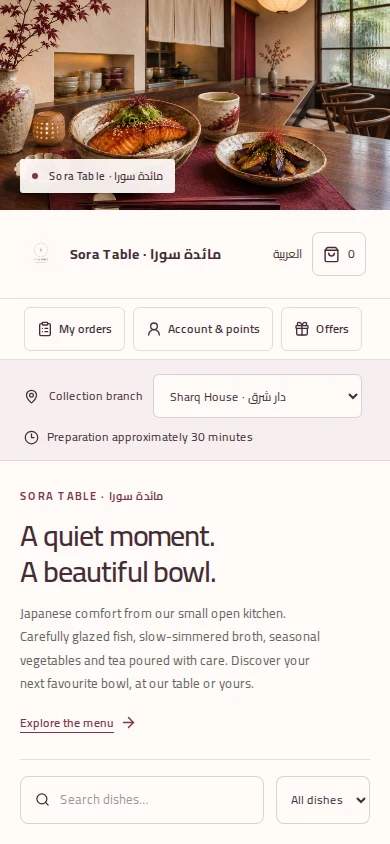
A Japanese kitchen for donburi, miso-glazed fish and carefully prepared small plates. Boutique pairs the restaurant story with a distinctive split layout.
Fictional restaurant demo · Boutique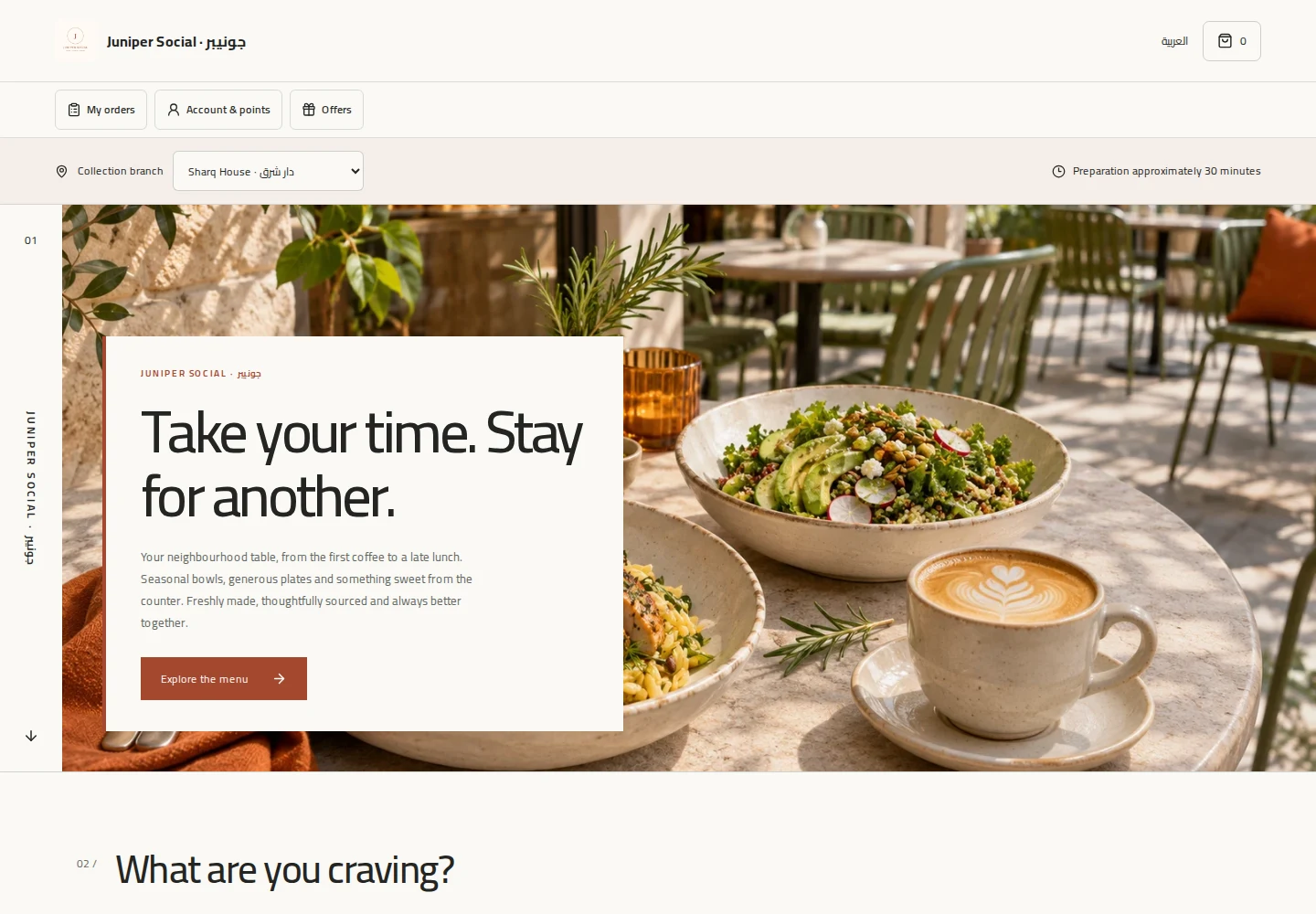
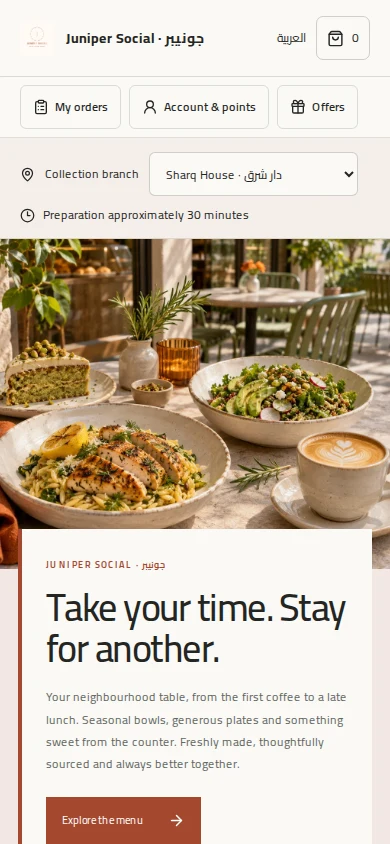
A modern cafe and bistro for specialty coffee, all-day plates and desserts. Studio brings a bold editorial rhythm to the same connected ordering system.
Fictional restaurant demo · StudioFrom delivery areas to team permissions, manage the details behind each sale in focused dashboard workspaces. Available tools depend on the restaurant’s plan and staff access.
Offer collection at enabled branches and delivery to your published service areas. Set area fees and fulfillment branches; your restaurant manages its drivers and delivery progress.
Record permitted cash or manual collections, partial payments and refunds. Online customer payments use activated merchant gateways; method availability depends on the provider and verified setup.
Handle waiter, bill, manager and table-change requests where enabled. Collect guest ratings, moderate feedback and configure WhatsApp recipients, notification logs and daily summaries.
Create coupons with conditions and usage limits, publish offers, run menu banners and suggest relevant extras. Track customer points, reward redemptions and promotion results.
Filter activity by branch, source and fulfillment. Review order value, collected payments, completed refunds and net collections separately, with saved views and permitted CSV/XLSX exports.
Manage branches, tables and QR print sheets. Assign staff roles for catalog work, sales, publishing, collection, refunds and exports, with audit history and controls tied to your plan.
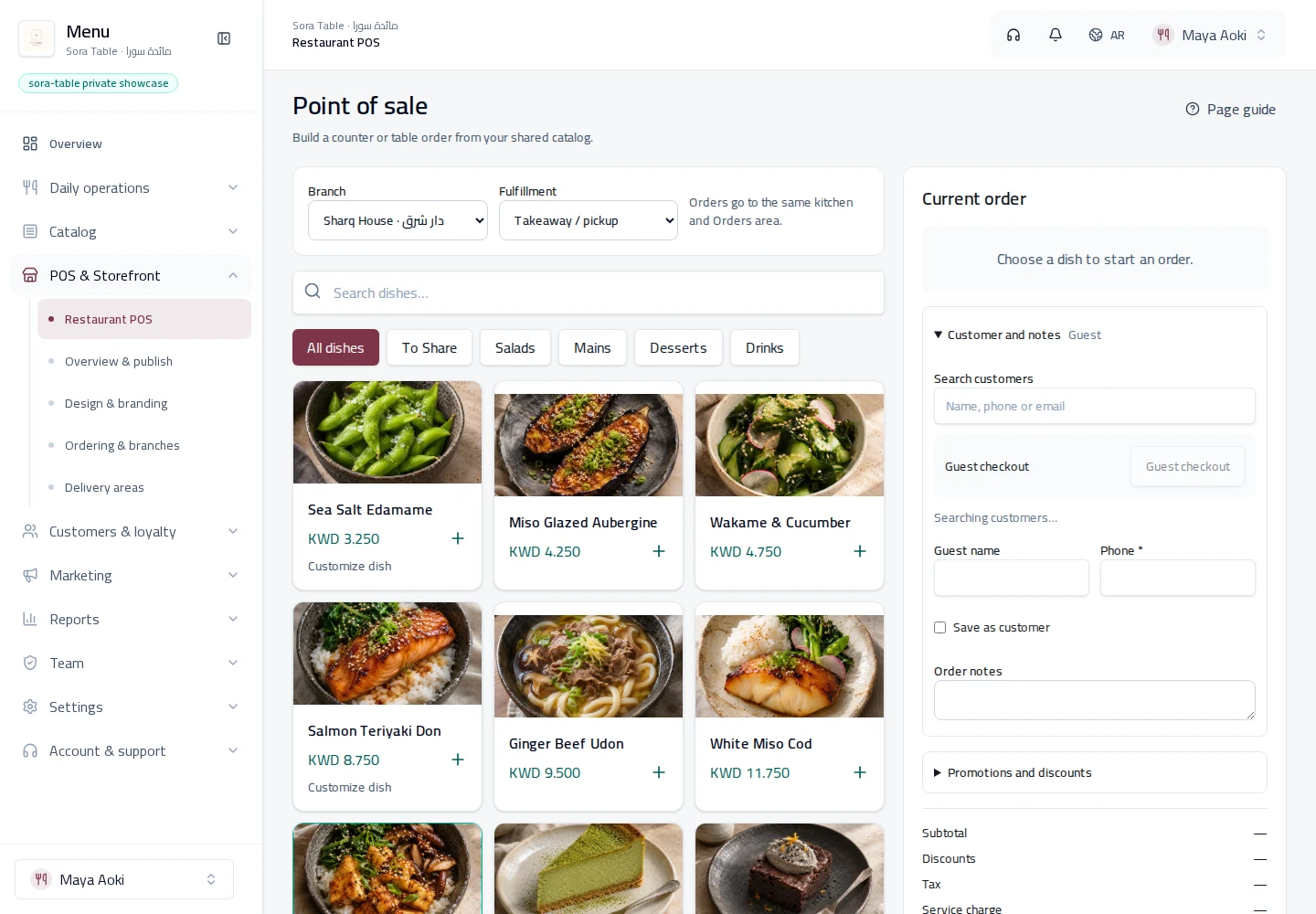
Browse the real catalog, customize dishes and build a multi-item staff sale.
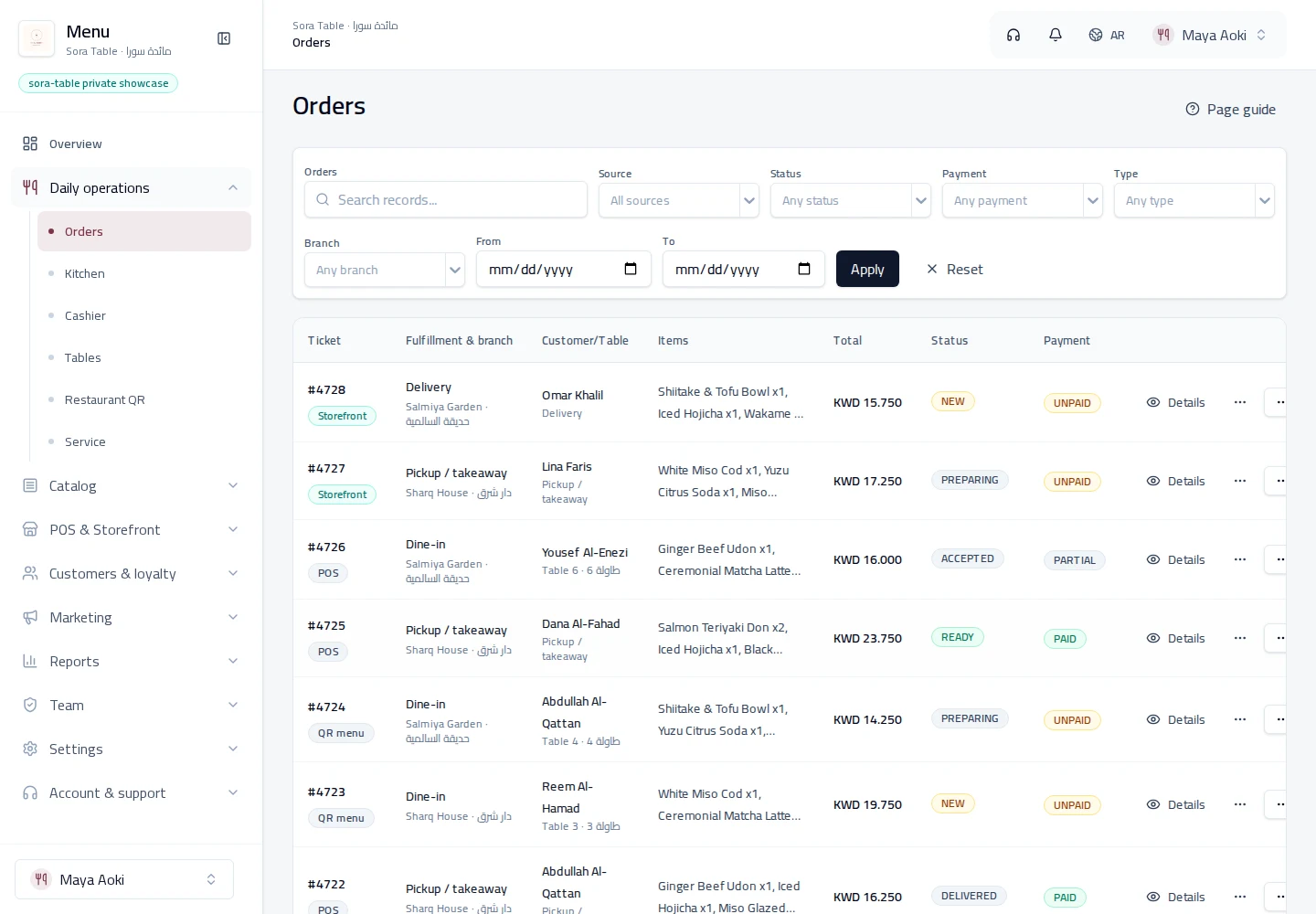
Review sales sources, fulfillment, preparation and payment in the same workspace.
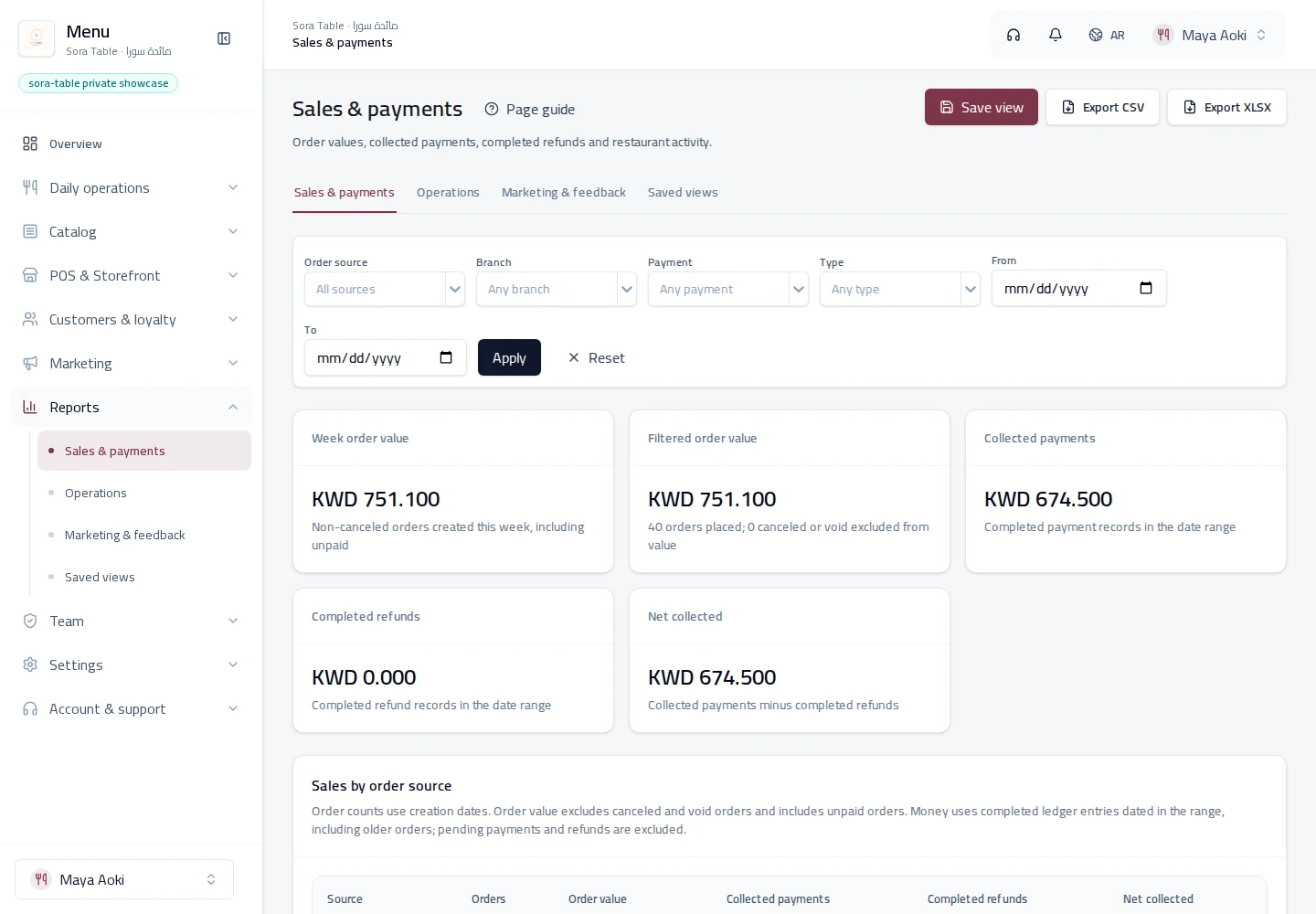
Inspect order activity and collections with the restaurant’s operational reports.
Actual Dar Noor demonstration workspaces with fictional restaurant data. These are screenshots; staff access remains private.
Pro adds POS & Storefront to everything in Starter. Both plans have the same restaurant features and capacity; the price difference is for this connected sales module. Review the current annual prices below. Online payments require separate merchant activation and verification.
Menu · Plans & pricing
Starter runs your restaurant. Pro adds POS & Storefront.
A fourteen-day free trial on eligible new subscriptions. Menu is billed once a year. Foxaira takes no commission on restaurant orders.
The complete restaurant platform: menu, QR orders, kitchen, cashier, customers, loyalty and reports.
Billed once a year
5 branches · 250 tables · 50 staff accounts
Add Restaurant POS & Storefront to Starter: counter sales and your own online ordering channel.
Billed once a year
5 branches · 250 tables · 50 staff accounts
Everything in Starter, plus POS & Storefront:
Prices in USD.
| Feature | Starter$499 / year | Pro$899 / year |
|---|---|---|
| Branches | 5 | 5 |
| Tables | 250 | 250 |
| Staff accounts | 50 | 50 |
| Orders per month | No plan limit | No plan limit |
| File storage | 4 GB | 4 GB |
| Menu items and categories | Included | Included |
| Item photos | Included | Included |
| Your logo and colors | Included | Included |
| Promotional banners | Included | Included |
| Banner allowance | 10 | 10 |
| Import menu spreadsheets | Included | Included |
| Export records | Included | Included |
| Upload your images | Included | Included |
| Arabic and English menus | Included | Included |
| Restaurant-wide menu QR | Included | Included |
| Table-specific QR codes | Included | Included |
| Download table QR codes in bulk | Included | Included |
| Dine-in orders | Included | Included |
| Takeaway orders | Included | Included |
| Move an order to another table | Included | Included |
| Online bill payment | Included | Included |
| Cashier workspace | Included | Included |
| Call a waiter | Included | Included |
| Call the manager | Included | Included |
| Request the bill | Included | Included |
| Multi-branch operations | Included | Included |
| Dashboard activity alerts | Included | Included |
| Support tickets with attachments | Included | Included |
| Kitchen display | Included | Included |
| Restaurant POS | Not included | Included |
| Online storefront | Not included | Included |
| Private guest ratings | Included | Included |
| Google review link | Included | Included |
| Customer registration | Included | Included |
| Loyalty rewards | Included | Included |
| WhatsApp order alerts | Included | Included |
| Daily WhatsApp summary | Included | Included |
| Detailed restaurant reports | Included | Included |
| Item suggestions | Included | Included |
| Automatic menu discounts | Included | Included |
| Customer coupon codes | Included | Included |
| Custom system connections | By agreement | By agreement |
| POS integration project | By agreement | By agreement |
Subscription prices cover the software, not restaurant sales. Payment gateway fees, WhatsApp provider charges, hardware and custom integration work are separate.
POS & Storefront is the only upgrade in Pro; both plans have the same restaurant features and capacity. Setup, account verification and staff permissions apply. Every Foxaira service retains the Foxaira signature.
Choose the sales channels and tools that fit the way your team works.
No app is required. Guests can browse, order and track without registering. My orders supports recent orders on that device and recovery with the required receipt or contact details. An optional customer account brings linked history, points and rewards together.
They use one restaurant catalog and shared Orders, Kitchen and Cashier records. You control item and category visibility independently for each channel. The order source stays separate from dine-in, pickup or delivery, preparation status and payment status.
Starter includes the restaurant features previously offered in Professional: QR menus and ordering, takeaway, kitchen and cashier, customer loyalty, reviews, WhatsApp and detailed reports. Pro adds POS & Storefront: multi-item staff sales and a themed online restaurant for pickup and restaurant-managed delivery. Both plans have the same branch, table, staff and storage limits. A current subscription and suitable staff permissions are required.
The restaurant publishes its served areas, fees and responsible branches. Customers choose an available area at checkout. The restaurant supplies its own drivers and updates delivery progress; external courier dispatch and scheduled ordering are not included.
The restaurant payment setup supports MyFatoorah, UPayments and Tap, subject to merchant activation, enabled methods and successful verification. KNET through a gateway depends on that merchant’s approved methods. Direct bank KNET processing is unavailable. Cash or payment at collection or delivery can be offered where configured.
Yes. Menu supports Arabic and English with RTL layouts. Classic, Harvest, Boutique and Studio keep their distinct designs while sharing your catalog and ordering setup. Save and preview your draft before publishing; pausing ordering keeps the published menu visible.
Connect the guest menu, counter and online storefront with the tools your restaurant needs. Review the available plans, or contact Foxaira to discuss POS, Storefront and payment setup.